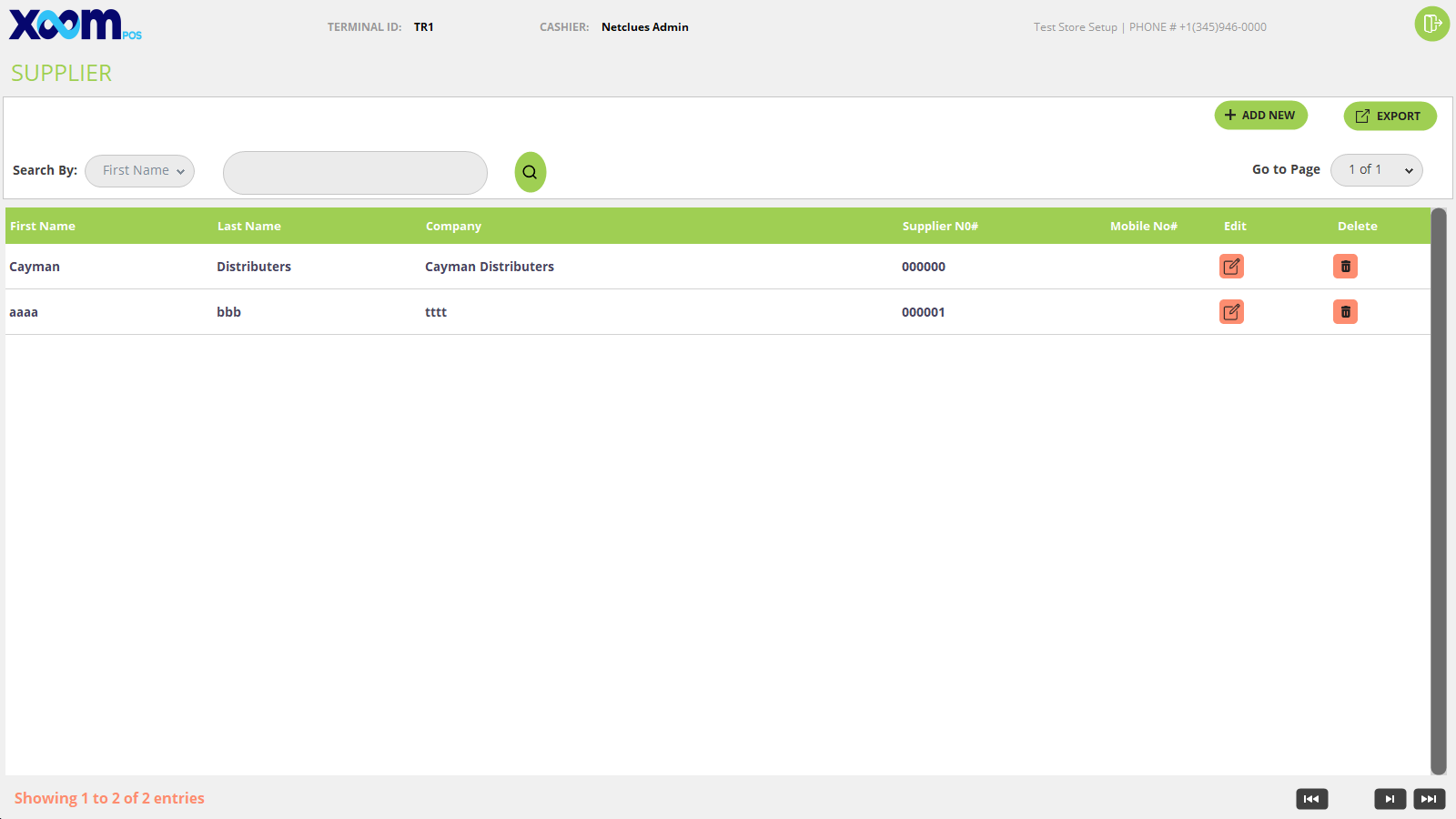
The supplier master module will display a list of all supplier in the grid who has supplied the product in the store.
Below is the screenshot for your reference:
You can search the supplier by first name, last name, and company.
You can also export the supplier by clicking on the ‘Export’ button.
If you click on the edit icon the supplier detail screen opens and you can modify the supplier detail.
If you click on the ‘Delete’ icon then the added supplier is going to be deleted.
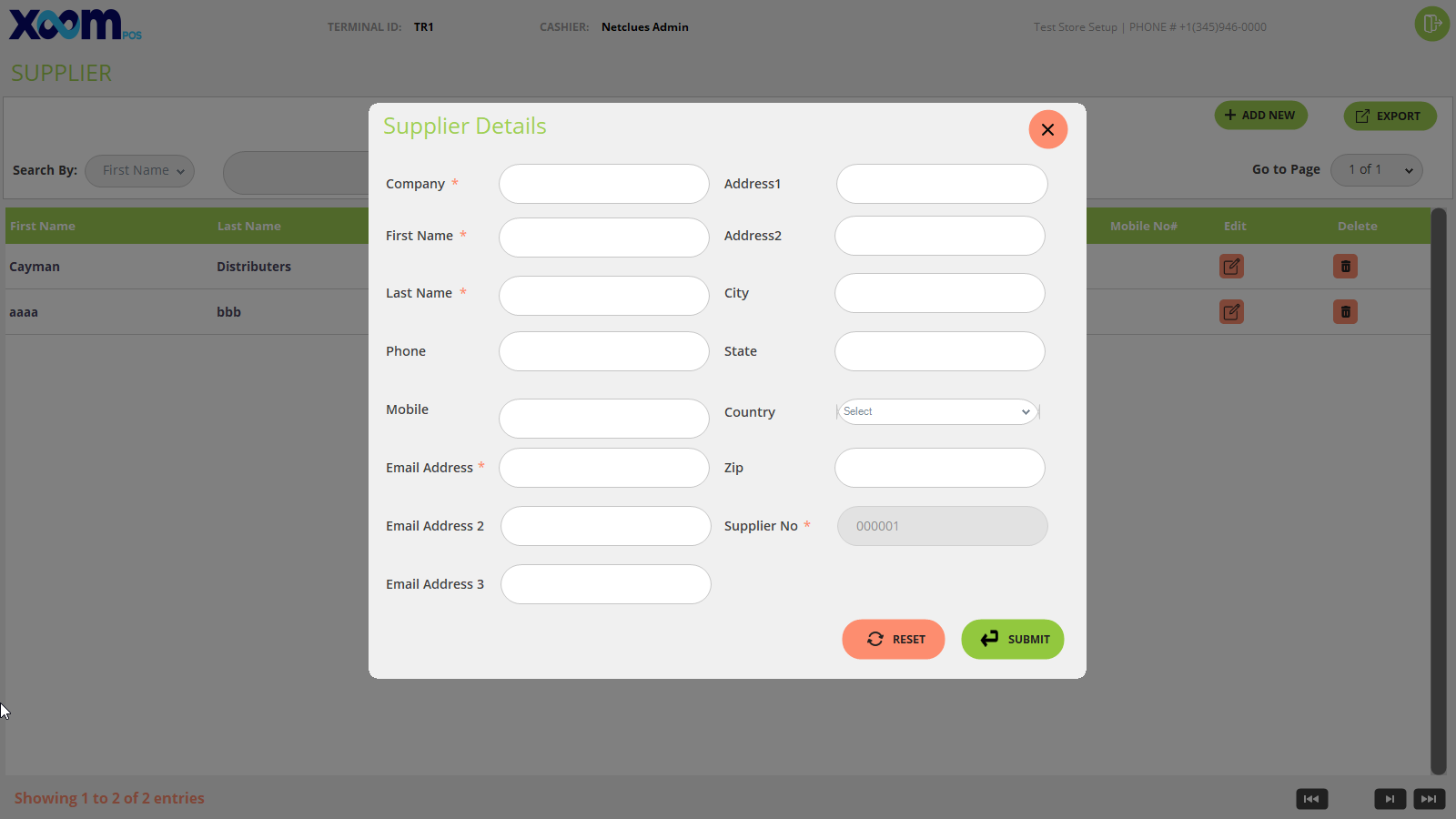
If you want to add the supplier then by clicking on the ‘Add New’ button, a new supplier screen will appear. Below is the screenshot for your reference:
On the supplier details screen, you have to fill in all the mandatory fields like company name, first name, last name, and email address.
The supplier no. is a static field and is auto-generated.
By clicking on the ‘Submit’ button new supplier is going to be added and if you click on the ‘Reset’ button then all filled fields will be reset.