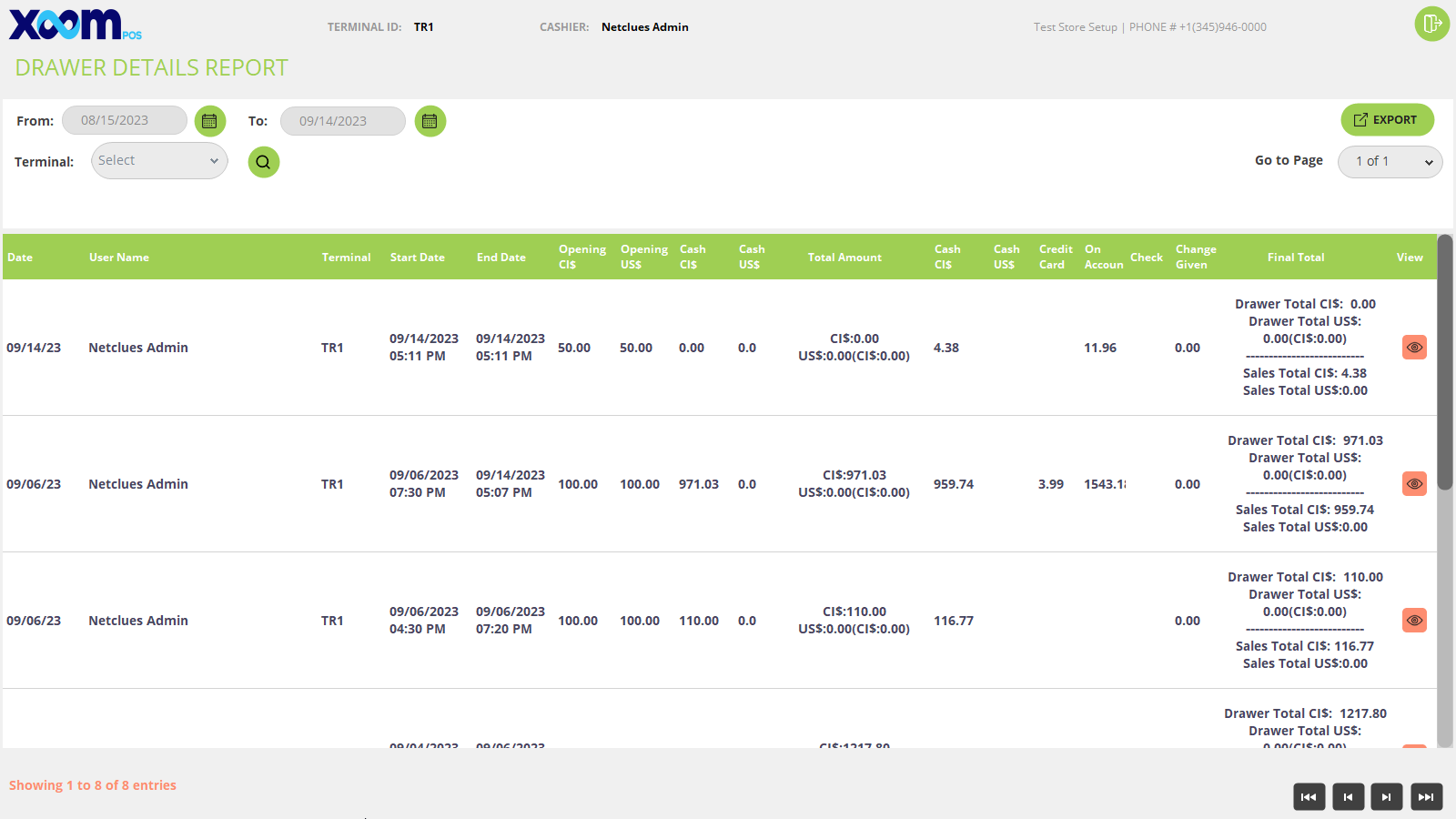
On the drawer detail screen, you will able to see all drawer details and transaction details.
You can filter by the from and to date as well as search by the terminal which shows on the dropdown.
We can export the drawer detail report by clicking on the ‘Export’ button.
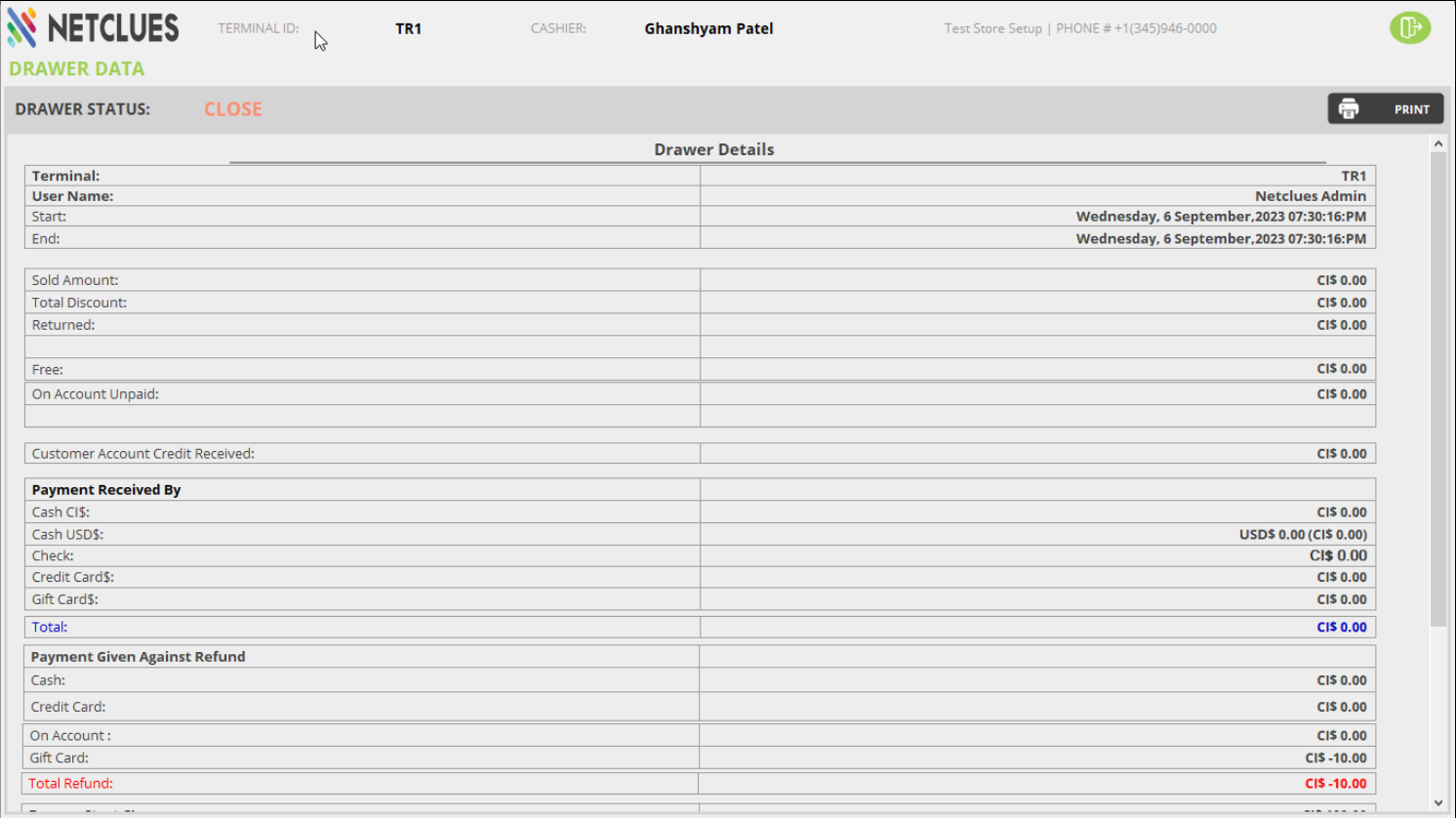
By clicking on the icon, you can view the drawer detail, for your reference below is the screenshot:
By clicking on the ‘Print’ button, we can save the drawer data pdf.
On the Drawer data screen, it shows the same as shown on the sell screen’s drawer, just one extra row ‘End date’ is shown over here with the status CLOSED.
 icon, you can view the drawer detail, for your reference below is the screenshot: