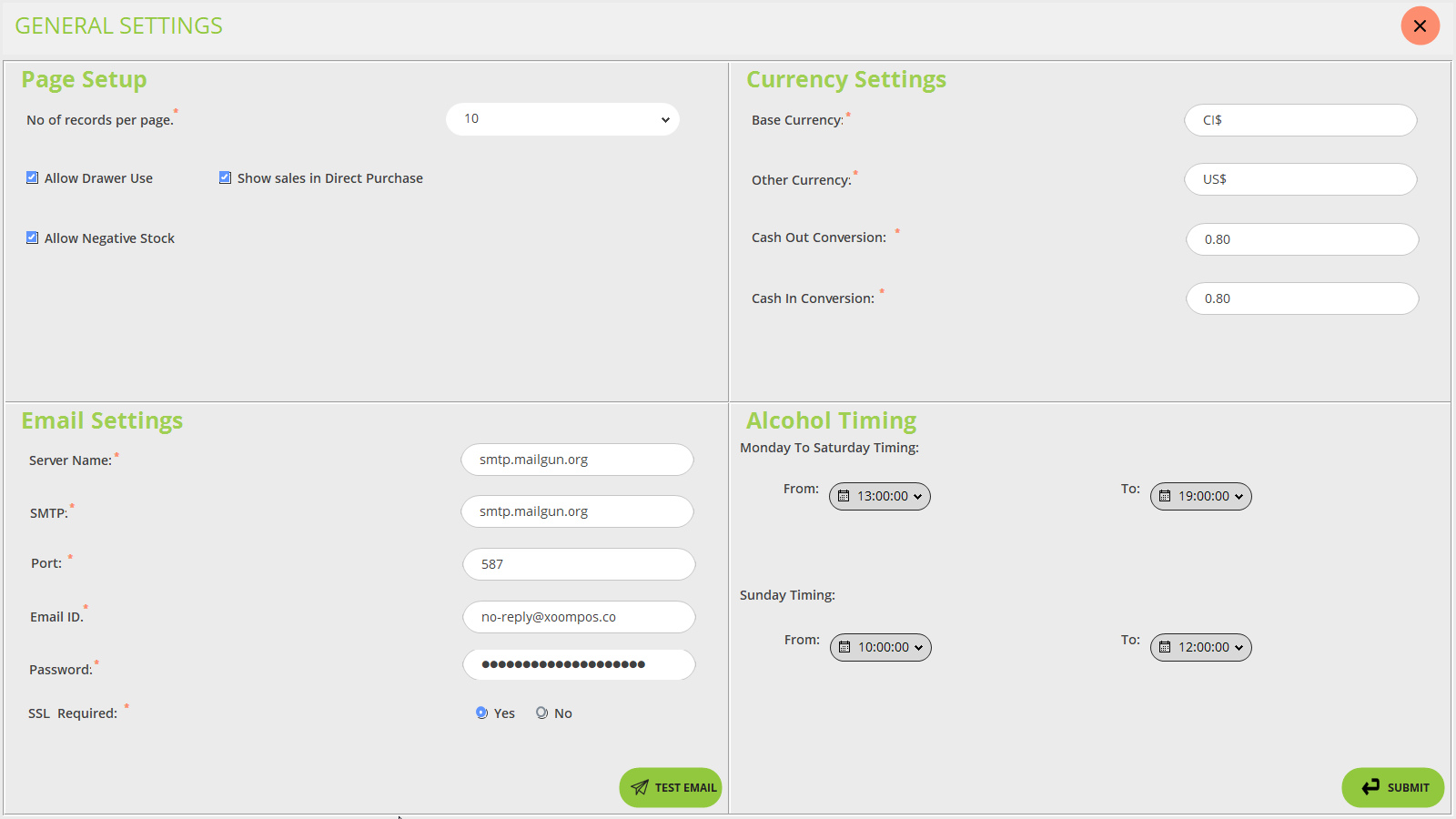
General settings are used for setup of the page, currency setting, email setting, and alcohol timing. Below is the screenshot for your reference:
Page Setup
If you enable the checkbox of Number of records per page then on every page of the POS screen, the default 10 records are displayed.
If you enable the checkbox of Allow drawer use then the drawer is displayed on the POS sell screen else not
Keep on a note that if all drawer is not closed then this does not work properly.
If you enable the checkbox of Show sales in direct purchase then sales of monthly or yearly shows on direct purchase module else not.
If you enable the checkbox of Allow negative stock then if the product is not in stock means not displayed on POS but the customer took it from the store and wants it then it shows a popup to allow negative stock.
Email Settings
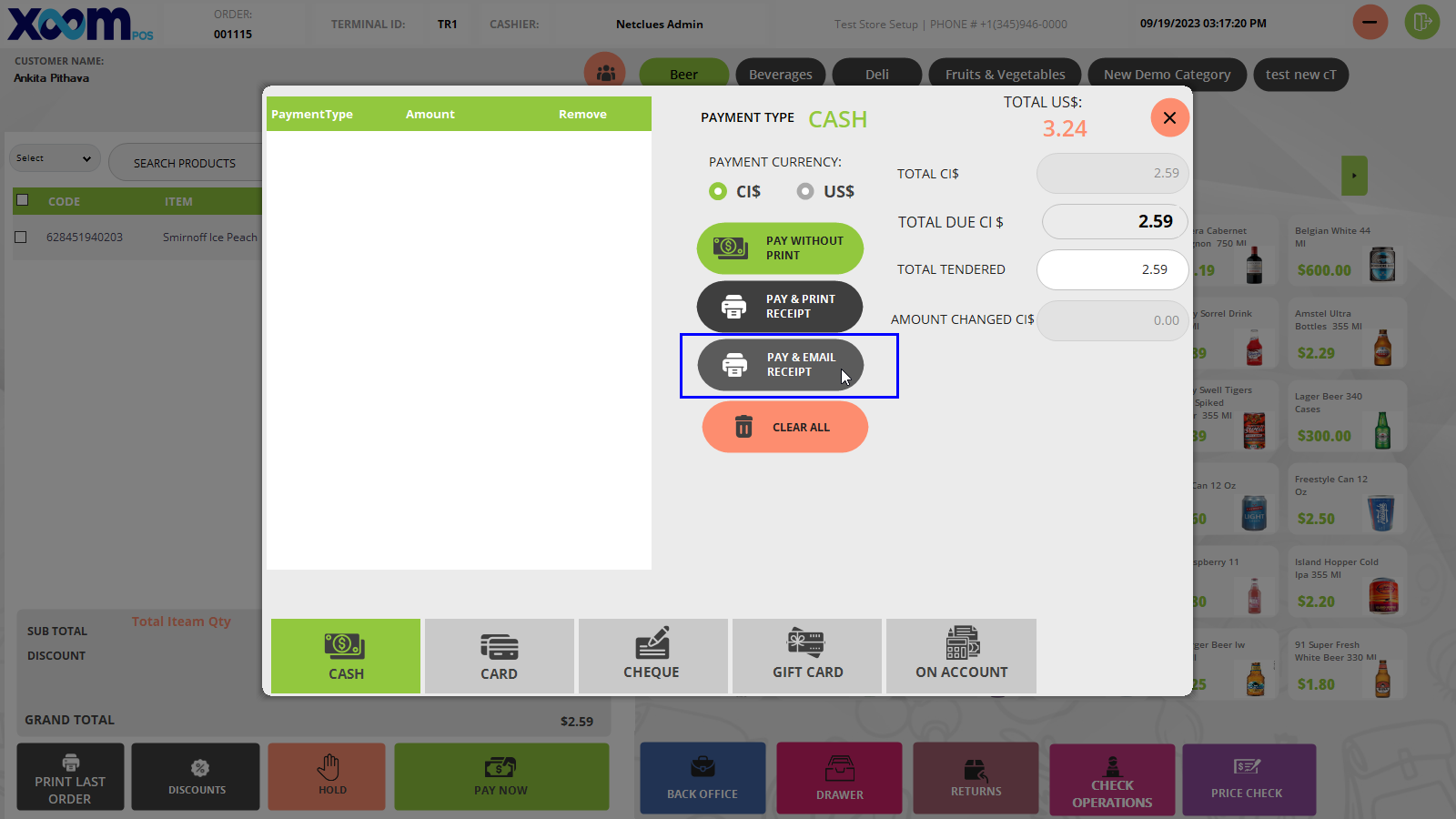
The email setting option is used when the user wants the email receipt of purchased products and the cashier clicks on the ‘Pay & Email receipt’ button at that time receipt email is sent to the customer’s email address.
This option is used to set the SMTP setting.
Currency Settings
The currency setting is used to set the currency which is accepted in the store.
In the ‘Base Currency’ field we will add the currency which we generally use (CI$).
In the ‘Other Currency’ field we will add the other currency which is accepted in the store (US$).
Keep on the note that we accept the US$ but we return the change only on CI$.
In ‘Cash out Currency’ and ‘Cash in Currency’ we add the difference of conversation from CI to US.
I.e. if the customer gives 1US$ then the conversation is 0.80CI$.
Alcohol Timing
We have set the alcohol timing for a specific time period.
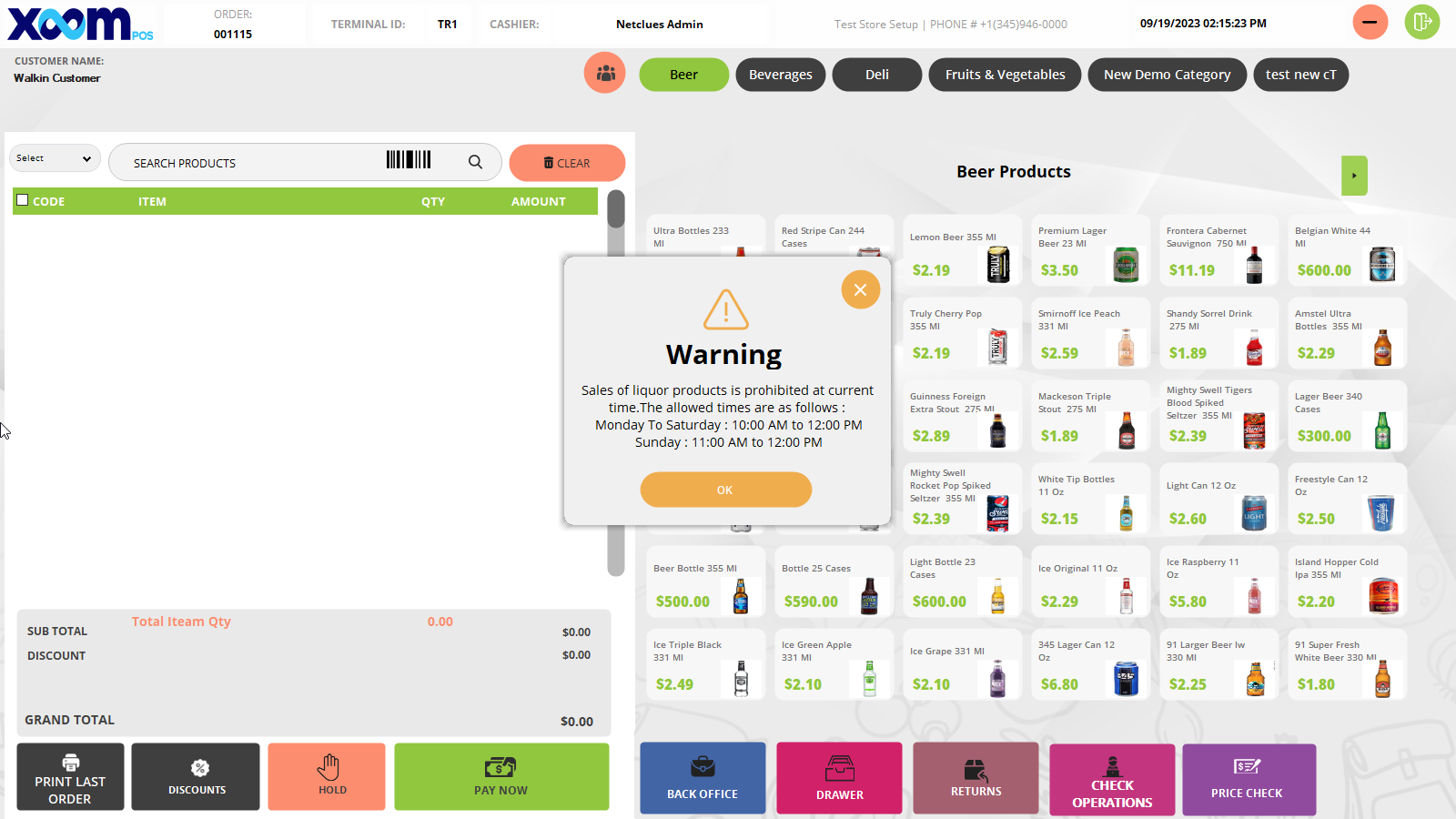
If a customer comes to purchase the alcohol after that specified time and the cashier scans the barcode of that product than a warning message shows. Below is the screenshot for your reference: