Labels The Design option is used to design labels according to your requirements.
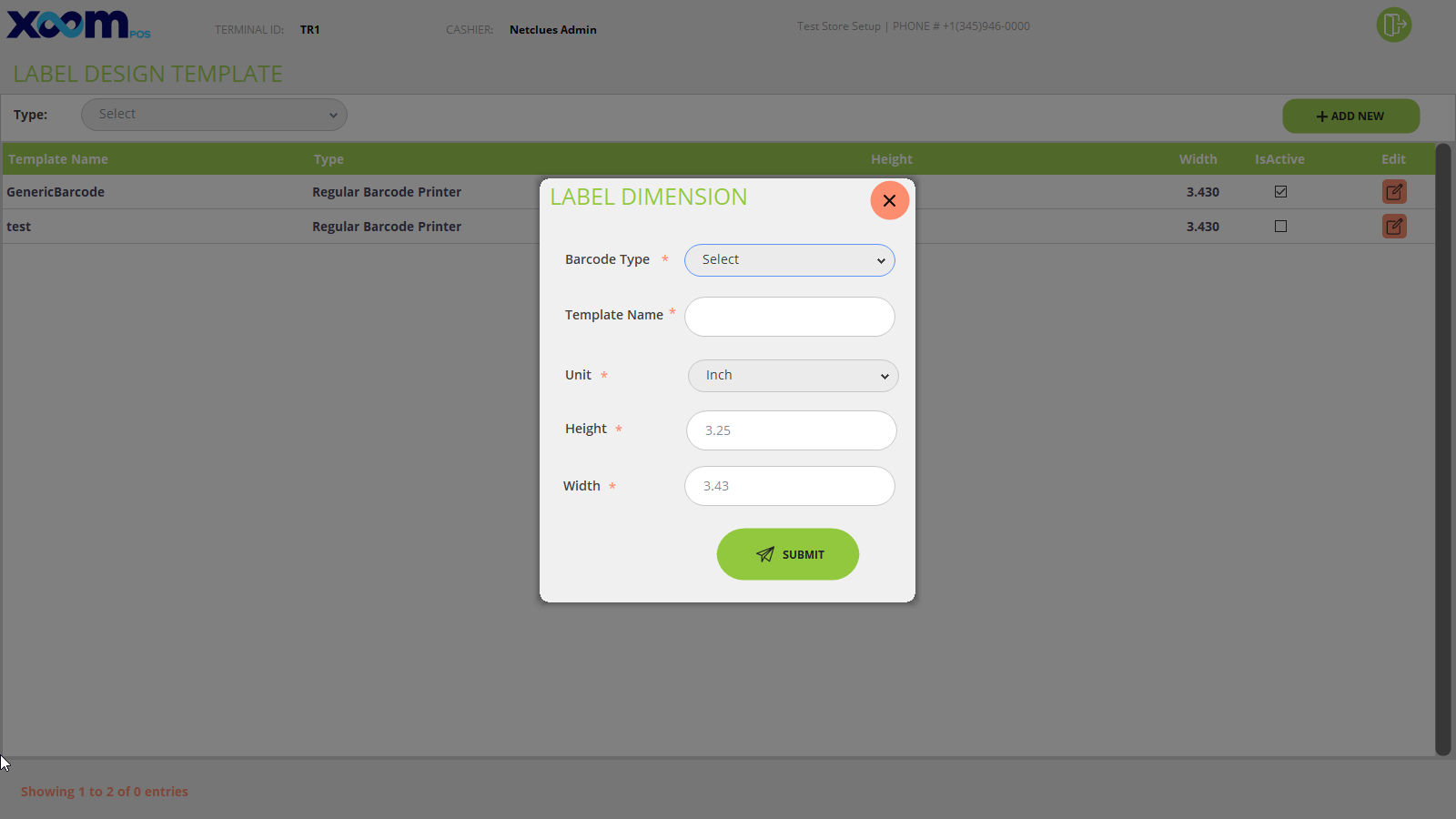
Click on Label Design from the back office, and you will be redirected to the label design templates screen where the list of the labels added will be shown please refer to the below screenshot:
If you want to create a new label design template, then click on Add New, a pop-up will open where you need to add the label dimensions information like Barcode Type, Template Name, Unit, Height, and Width, and click on ‘Submit’. Please refer to the below screenshot:
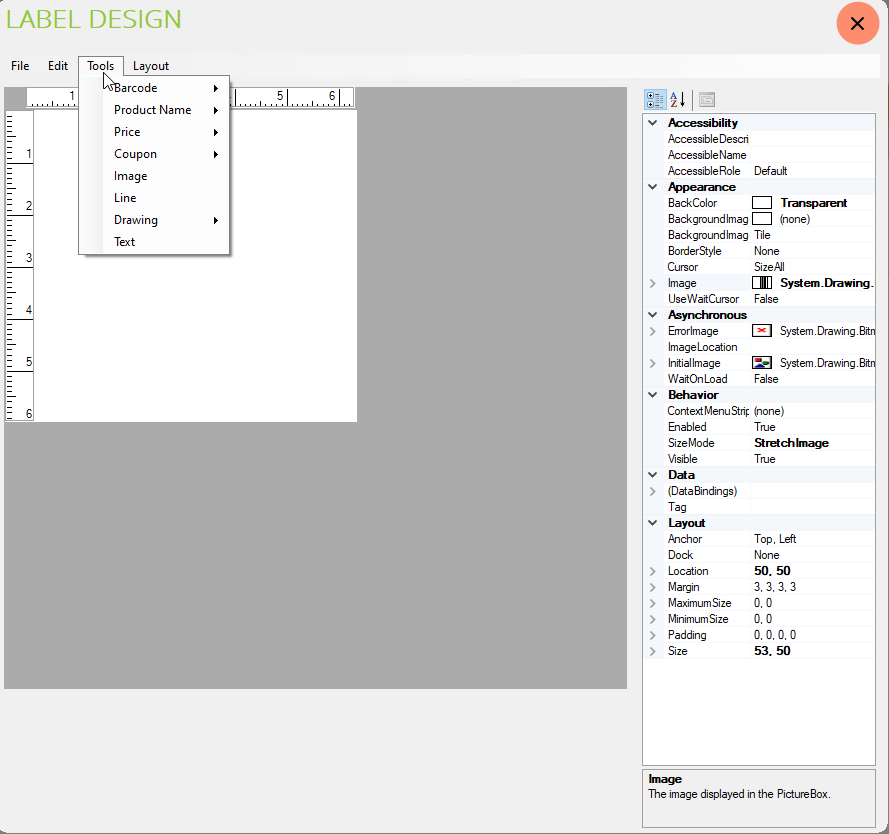
When you click on submit pop will open where you create the design for the labels using the Tools option. Please refer to the below screenshot:
After creating a design for the labels save the design template, and the label design will be shown in the list.
You can only have one label design active for the same barcode type at a time.
If you use more than one label design at that time, an error message will appear. Please refer to the below screenshot: