Skip to the content
Window POS
FAQ
Window POS
FAQ
Search for:
Store Master
Home
Back Office Xoom POS
Settings
Store Master
Search for:
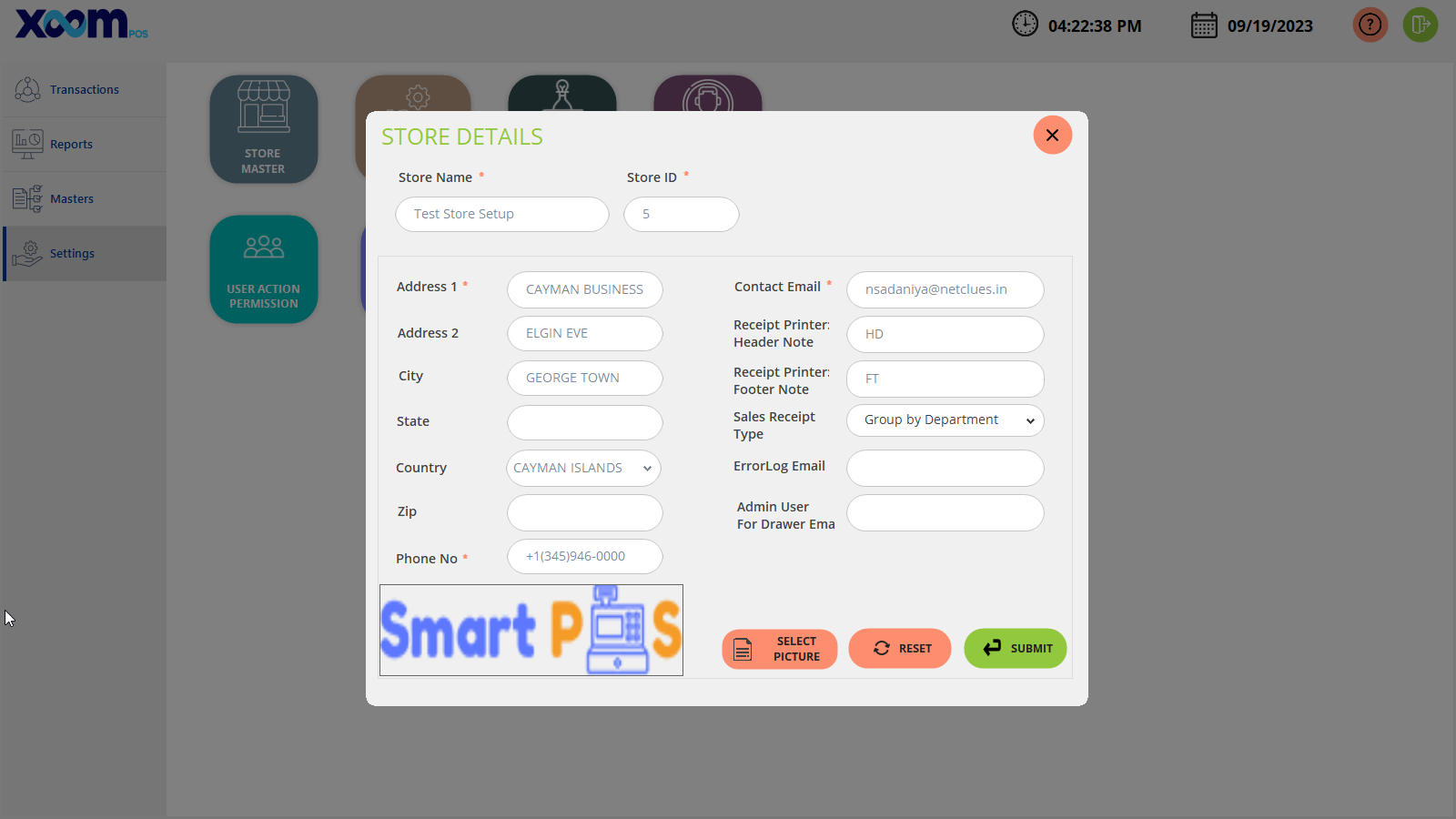
On the Store master module, you are able to update the store details like store name, store ID, Address, contact email, phone number image, etc…
Below is the screenshot for your reference:
If you click on the ‘
Reset
’ button then all the fields get reset.
You can also update the picture by clicking on the ‘
Select Picture
’ and selecting any image.
By clicking on the ‘
Submit
’ button the store details getting saved successfully.