The stock Adjustment option is used to adjust the stock.
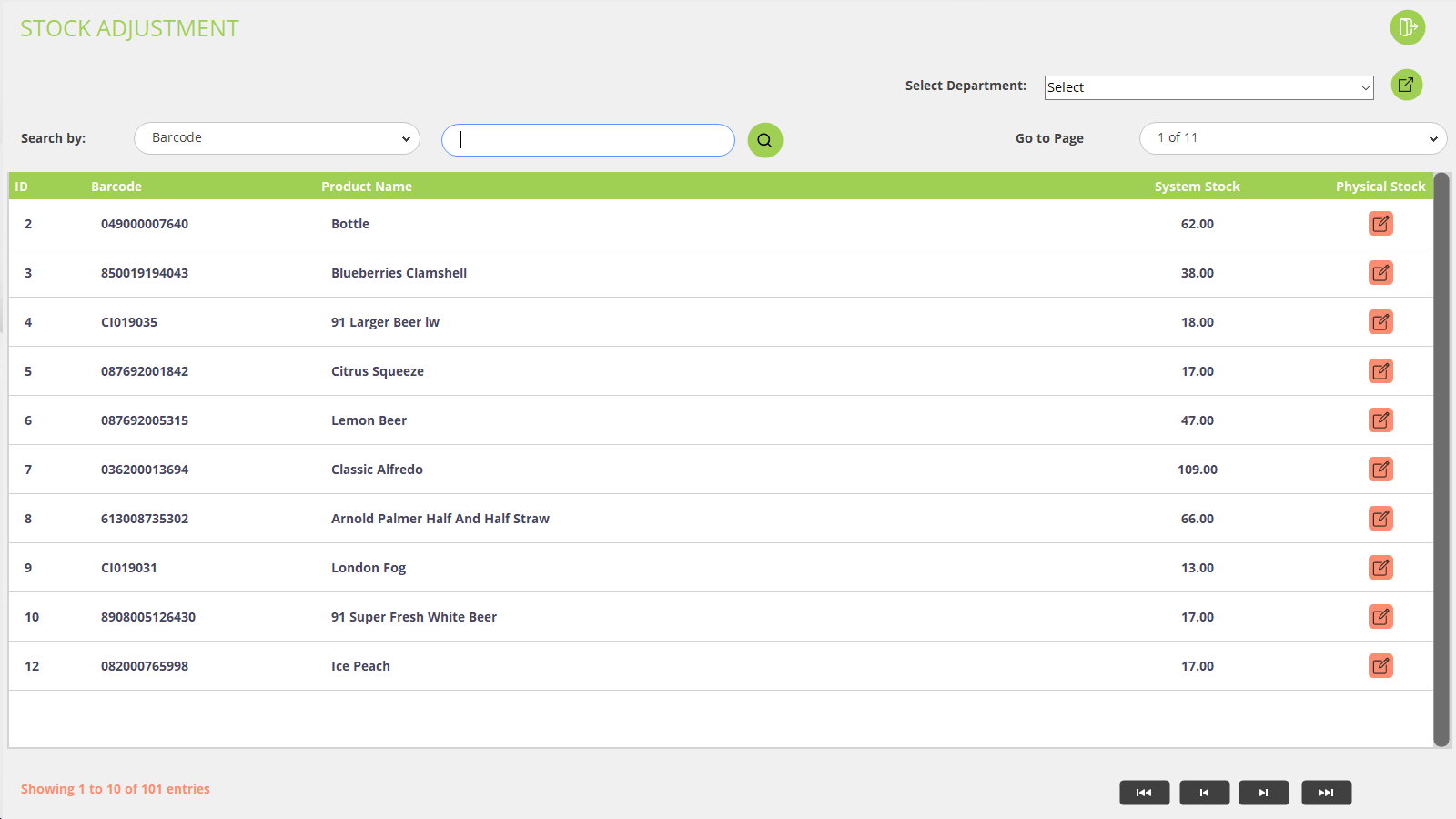
Click on Stock Adjustment from the back office and you will be redirected to the stock adjustment screen. Please refer to the below screenshot:
You can search for the product Barcode and product name.
Here the available stock will be shown for each product.
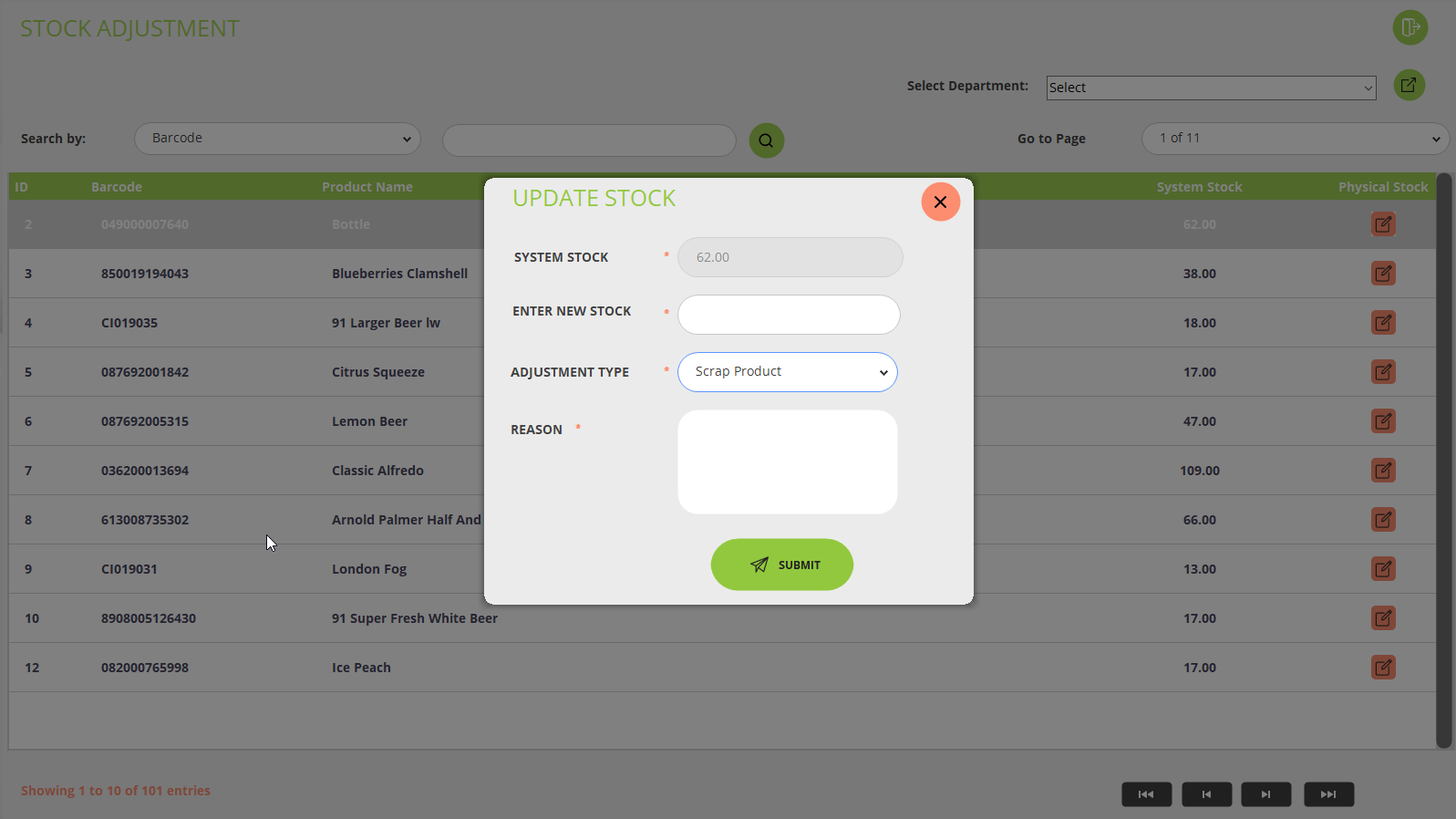
If you want to update the stock for any product then click on the icon and pop up will open where you can view the available stock, update the stock, and Select the adjustment type like scrap product, Inventory adjustment, scrap spoiled, scrap damaged, scrap spoiled and add the reason. Please refer to the below screenshot:
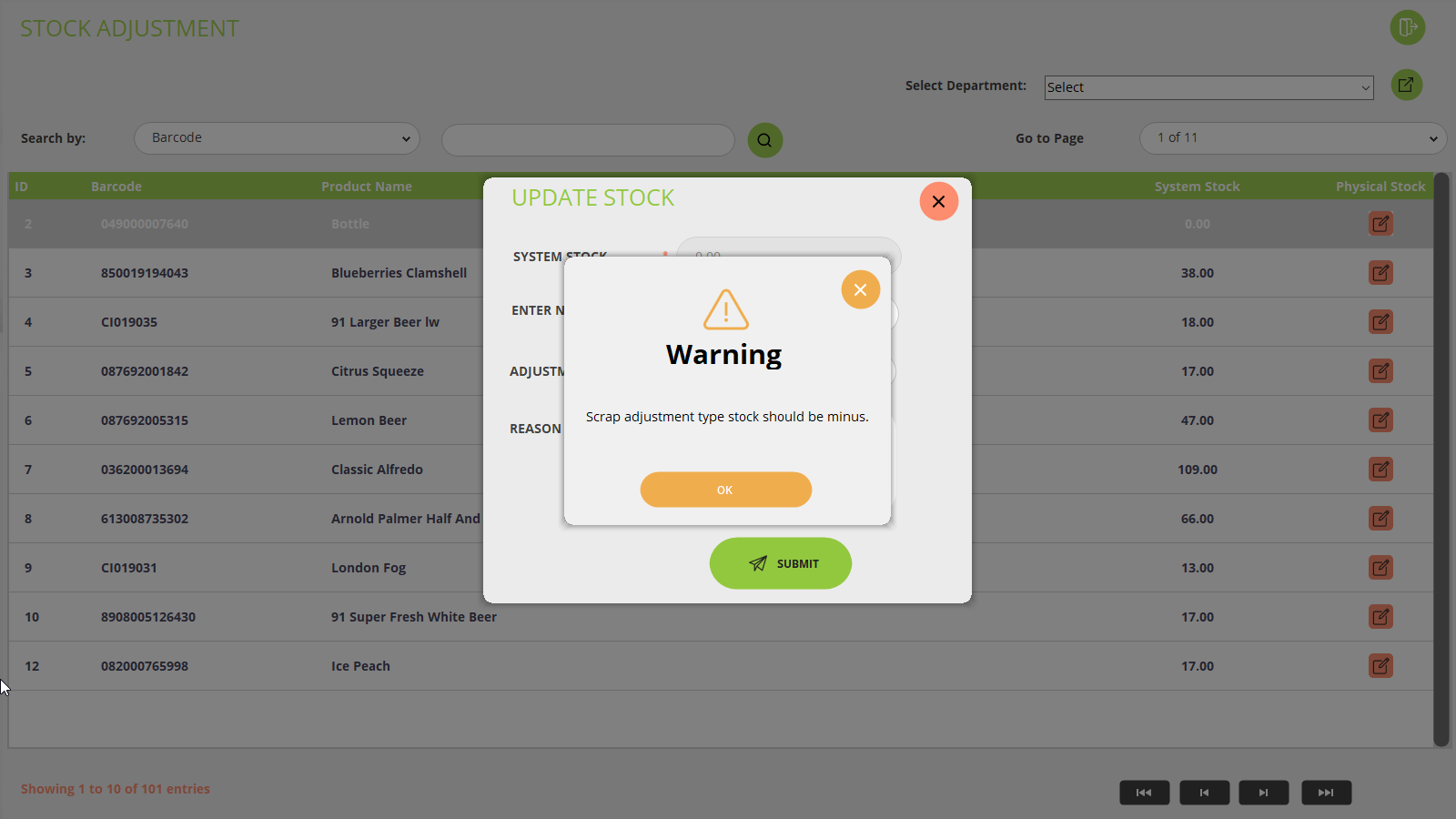
If you have selected the adjustment type as Scrap Product, Scrap Spoiled, Scrap Damaged, or Scrap Expired, and system stock is not available at that time, you can not update the stock for these products otherwise pop up with an error message will be shown. Please refer to the below screenshot:
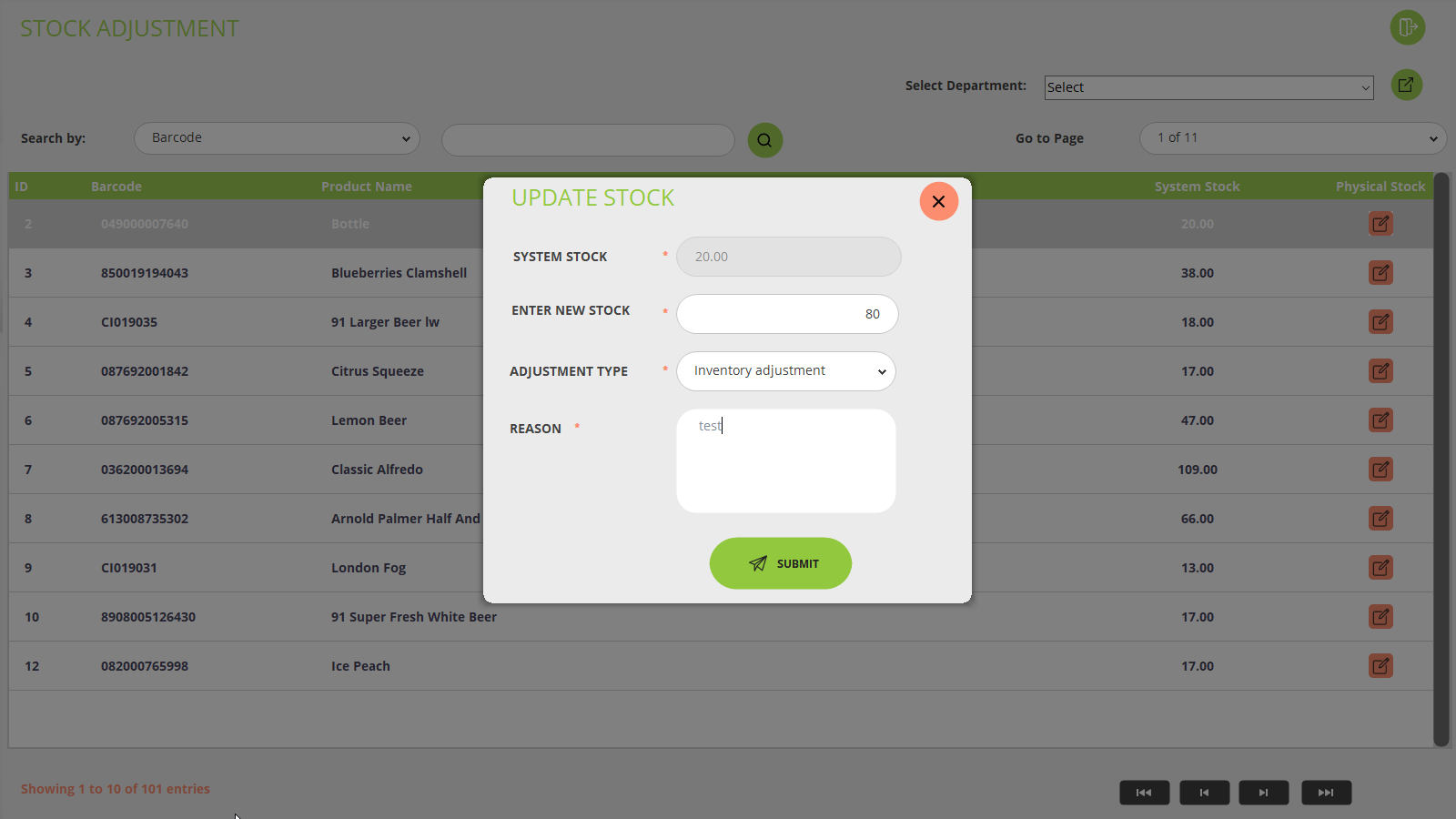
If you want to add the product, then select the adjustment type as Inventory Adjustment and enter the new stock for that particular product the system will add the stock accordingly. Please refer to the below screenshot: